
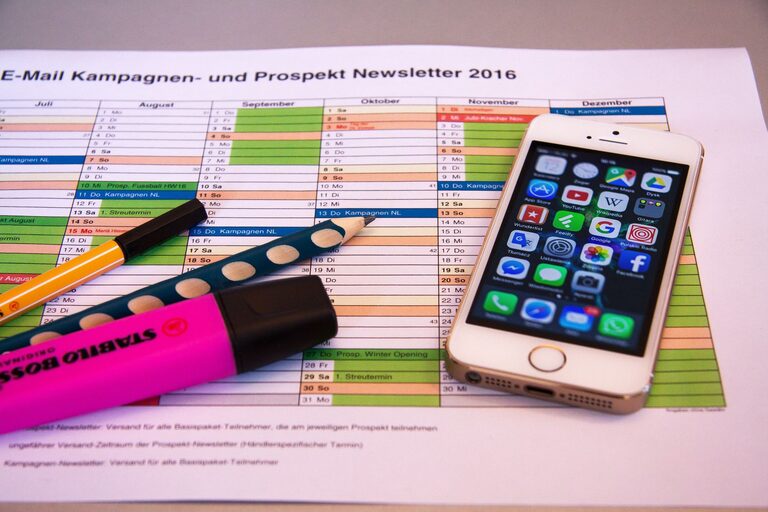

In today’s connected world, it’s easy for our digital spaces to become overwhelming. From overflowing email inboxes to countless apps and files scattered across devices, digital clutter can distract us and reduce productivity. The good news is that decluttering your digital life is achievable with some simple, intentional steps. This guide will walk you through practical ways to simplify and organize your digital environment, helping you enjoy a calmer and more focused daily experience.
Why Declutter Your Digital Life?
Digital clutter can cause stress, reduce efficiency, and make it harder to find important information when you need it. Just as a tidy physical space promotes calmness, an organized digital life can improve your mental clarity and free up your time. When your devices and accounts are streamlined, you spend less time searching and more time doing what matters.
Step 1: Organize Your Files and Folders
Create a Logical Folder Structure
Begin by assessing your files on your computer, cloud storage, or external drives. Develop a clear folder system that makes sense to you, using categories like Work, Personal, Finance, Photos, and so on. Within these main folders, create subfolders to further categorize content.
Delete Duplicate and Unnecessary Files
Use tools or manual review to remove duplicate documents, outdated files, and downloads no longer needed. Freeing up this space reduces digital noise and can improve device performance.
Backup Important Data
Once your files are organized, back them up regularly. Use an external hard drive or a cloud service to ensure you don’t lose essential documents or precious memories.
Step 2: Clean Up Your Email Inbox
Unsubscribe from Unwanted Newsletters
Email clutter often comes from subscriptions we don’t read. Unsubscribe from newsletters and promotional emails that no longer interest you to reduce incoming messages.
Use Folders and Labels
Set up folders or labels to organize incoming mail by topic, project, or priority. Many email services allow automatic filtering to keep your inbox tidy.
Archive or Delete Old Emails
Regularly archive or delete emails you no longer need. Keeping a manageable inbox size helps you focus on new and important messages.
Step 3: Manage Your Apps and Programs
Uninstall Unused Apps
Go through your devices and uninstall apps you rarely or never use. This frees up storage space and may improve device speed.
Review App Permissions
Check the permissions you’ve granted to apps, and revoke any access that isn’t necessary for functionality. This can enhance your privacy and security.
Organize Apps into Folders
Group your apps into folders based on function, such as Social, Productivity, Entertainment, or Health. A clean home screen makes it easier to find what you need quickly.
Step 4: Streamline Your Digital Accounts
Review Your Online Accounts
Make a list of all your online accounts and decide which ones you still use. Delete or deactivate accounts that you no longer need to reduce your digital footprint.
Use a Password Manager
A password manager helps you create and store complex passwords securely, reducing the stress of remembering login details and enhancing security.
Enable Two-Factor Authentication
Protect your important accounts with two-factor authentication when available. It adds an extra layer of security to prevent unauthorized access.
Step 5: Set Digital Boundaries and Habits
Schedule Regular Decluttering Sessions
Make digital decluttering part of your routine, such as a monthly review of files, emails, and apps. Regular maintenance prevents clutter from building up again.
Limit Notifications
Too many alerts can be distracting. Customize notification settings to only receive alerts that are truly important.
Use Do Not Disturb Modes
Make use of “Do Not Disturb” or focus modes on your devices to minimize interruptions during work or personal time.
Step 6: Organize Your Digital Photos and Videos
Create Albums or Folders
Sort your media into albums or folders by date, event, or theme. This makes it easier to find specific memories later.
Delete Blurry or Unwanted Photos
Be selective and remove duplicates, blurry shots, or images you don’t want to keep.
Backup Your Media
Use cloud storage or external drives to back up your photos and videos, ensuring they are safe even if devices fail.
Conclusion
Decluttering your digital life doesn’t have to be overwhelming. By taking small, consistent steps to organize files, manage apps, clean your inbox, and protect your accounts, you can enjoy a more peaceful and productive digital experience. Remember, maintaining these habits regularly will keep your digital world streamlined, making technology work better for you rather than creating stress. Start today and embrace the benefits of a clutter-free digital life!